Thursday, 12 February 2009

Target Audience


Demographics
Judging from our opening sequence, i can see that our film would appeal to a younger audience, the majority being girls. Our opening sequence was animated, but the actual film would be shot in real life. Just like the openings for Casino Royale and juno. Our film stars a young girl, which automatically hints at a young female audience. We have used "girly" colours like pinks and purples and the typography is curly and dreamlike. As the storyline from the book "Layla's Star" is a book for children from about ages 3-8, but i think the film would appeal to audiences up to the age of around 14. I think the kinds of films the viewer would be interested in would be Pixar films like Finding Nemo(2003), Dreamworks films like Shrek(2001),Disney films such as High School Musical (2006), Cinderella (1950)or Enchanted (2007), and other films like, homeward bound(1993), Wild child(2008) and Hairspray(2006). They would have a mixture of animated and non animated films. Enchanted is a good comparison to our film. The majority of the audience would be young girls in primary school and early secondary school. It begins as an animated fairytale kingdom and then collides with modern day life, so it has a bit of both worlds. I think our audience would be engaged with stories and fairytales and have a creative imagination. It would also be family friendly so mums dads and brothers or sisters would go to see it.

One day remaining...


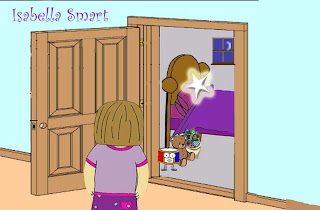
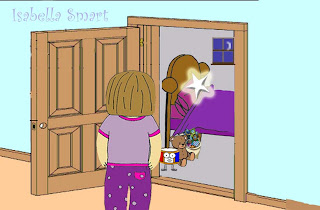
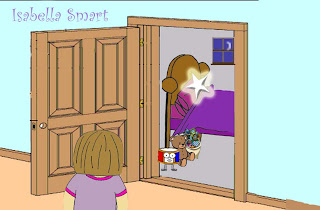
Today we have been tweeking a couple of scenes that we had by adding more frames to make it smoother. taranpreet has done this for Layla crying, Hannah did the ballons drifting into the sky and i did layla walking to her room. These are frames 5, 12 and 18. There are 20 in total for this scene. Kirsty didn't manage to bring in the music today so fingers crossed we will have it for tomorrow to add in, free time in lesson 3, 4 or at lunch.

Monday, 9 February 2009

Monday morning (and yes its raining)

In today's lesson, we had to add a few more pictures with the new text added, and on some pictures the text was changed, but the picture did not move. We have also added a THB productions which is Taranpreet, Hannah,Becky productions on a moving star at the beginning, and our names at the end of the sequence.
We asked Kirsty, the musician in the class, if she would be able to compose a short tune for our title sequence, and she has kindly done so( woo thanks Kirsty!) On Thursday we will be listening to watch she has come up with and putting onto our film. I'm hoping that the music will lift the sequence up a bit, and give it something extra. At the moment I'm not 100% happy with our opening, so ill see what else needs to be done.

Thursday, 5 February 2009

Meltdown :O

Last Monday Leanne suggested we had change our font from ariel rounded to curlz mt, so we had to open our pictures with text on and change them. We uploaded them and saved; we managed to do this in the 2 hours.Today we went back onto the mac but the text had not changed. All the new pictures we had uploaded were not there :O
......Firstly i freaked out, and then we had to get back to work. So today we had to go back onto our pictures and put them all onto the memory stick to try and put them back onto our mac. Unfortuanlty the memory cards screwed up our pictures. Once thepictures were uploaded the framing was out and them kept flashing!! so we had to move the pictures onto another memory stick and redo it.

Thursday, 22 January 2009

Shot 13- Day to Night


I worked on this sequence on in lesson Monday morning. It is shot 13 where night turns to day.
These are a couple of pictures from the day to night sequence.


1.I used same night sky colour and added the clouds, and the stars. To show time passing i put the moon onto a separate layer so that i could move it slightly and save in each position. I moved it from the left to the middle.


2.When the moon reached the middle i faded it until it was no longer seen and replaced it with a sun, which started faint but became brighter as it moved to the right. The sky is a lighter colour now and the stars and clouds have vanished.


3.To give the shot a realistic quality, i found a filter effect called lens flare, which shows the suns reflection. i really like this effect, the sun looks very bright and gives the shot an extra something.


4.To add more movement to the shot i wanted to put a bird flying across when the sun came out to show the day had begun. I found a picture of a cartoon bird on google images and cut him out. To show his wings flapping i had to cut out his right wing and flip it so that i was pointing downwards and then move it back pointing upwards, one after the other. The bird brings life into the picture. While doing this i also had to add the name when the sun came out and then slowly fade it away.

Saturday, 17 January 2009

Sketch Star


I really enjoy doing animation and i would love to be an animator in my future career! I found a Sketchstar game on the miniclip website which lets you make an animation. You can draw any picture you like and you can copy it to the next frame so you can move or add things to the picture. A ghost frame shows you what you have rubbed away so you know where things used to be( it works like tracing paper). You can have as many shots as you want and when finished you can press play to watch your picture come to life. I made a dancing duck! If you are logged in you can save your animation. I couldnt save mine, but its good fun though :)


ALL DAY ANIMATION!


Thursday was the day to do all day animation ! We went got started straight away and went onto photoshop so we could each design a part of the sequence.


Taranpreet is a very good artist so she was more than happy to draw our character Layla.

Here are the sketches she made: Front, left side, right side. She also made a sad face, and Laylas legs moving backwards and forwards.


Once these Drawings we done we scanned them into the computer and we were ready to go. It was important to keep the girl as simply drawn, and kept to simple colours. Hannah and taranpreet coloured in her pjs pink, purple and yellow.


While this was being done i began making the background of Layla's House where the star while fall down. The sky is dark blue with a cloud effect added and a paintbrush tool made the stars. For the house i used a box shape, painted it brown and added a few brick shapes. I got the image of a door and the stencil of a window from google images and coloured them too.This is the image.


This is from a series of images of the star broken on the pavement. In this sequence the star lays broken on the floor, and layla reaches her hand to get to it. While this happens text appears on the star and fades away. In each stage i had to move the hand bit by bit and save the picture in different files so that when they are together, they flow. Also the broken parts of the star move back into the star so it is repared. In each shot there are around 15-25 pictures.


Shots 7, 8 and 9.


The night before i took a picture of my window to use as Laylas bedroom window. When uploaded onto the computer Hannah coloured in the background and the curtains so that it animated, not realistic. In this picture Hannah moved the star around the page and names appear at the bottom of the frame and fade away. Shot 9 and 10.


I also used this picture for when the star reapears near the end (shot 18)and dances around Layla's head. I shut layla's eyes in a couple of frames so that when put together, she blinks.


At the end of the day we had created shots 3,4,5,6,7,8,9,10,11,12,15, 16, and 18. We put the images we had onto a memory stick so we could tranfer them to the i macs. Most of the shots we had made have now been added to the movie but we still need to do shots in between. We were very pleased at what we had managed to get done and on moday we are going to continue!


Things to do:


Make Music Soundtrack

Film shot 1 and 2 of window in my bedroom.

Make shots:

13 -night tunring to day

14 -Star disppeared from pillow

17 - star reappeared on pillow

19- star tied to balloons

20 - image of star back in the sky

Upload all images to mac

Put images in order

Add any effects needed